How you feel
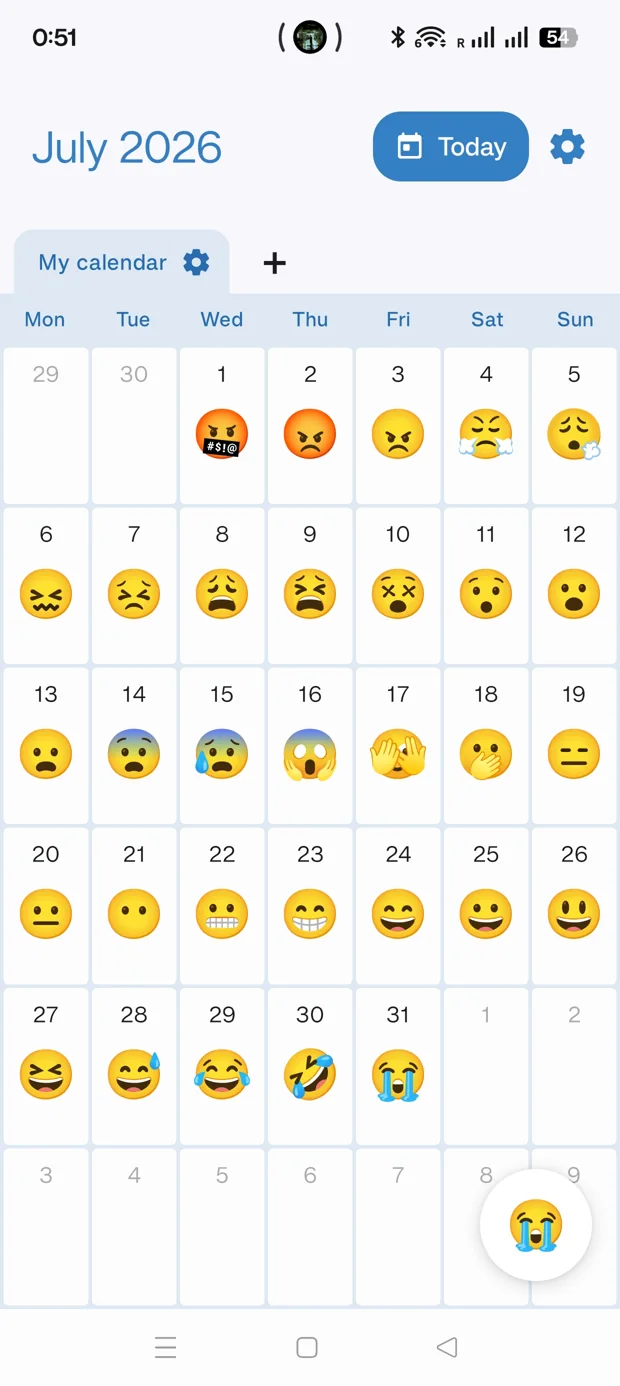
An emoji for your mood. A note to remember why.
A little gesture. A whole day.
Others deserve a little more. Keep how you feel, what you do and the moments you want to remember in a calendar as personal as your life.
Not every calendar is about appointments
Create separate calendars with their own emojis, color and questions. You decide what deserves a place.
An emoji for your mood. A note to remember why.
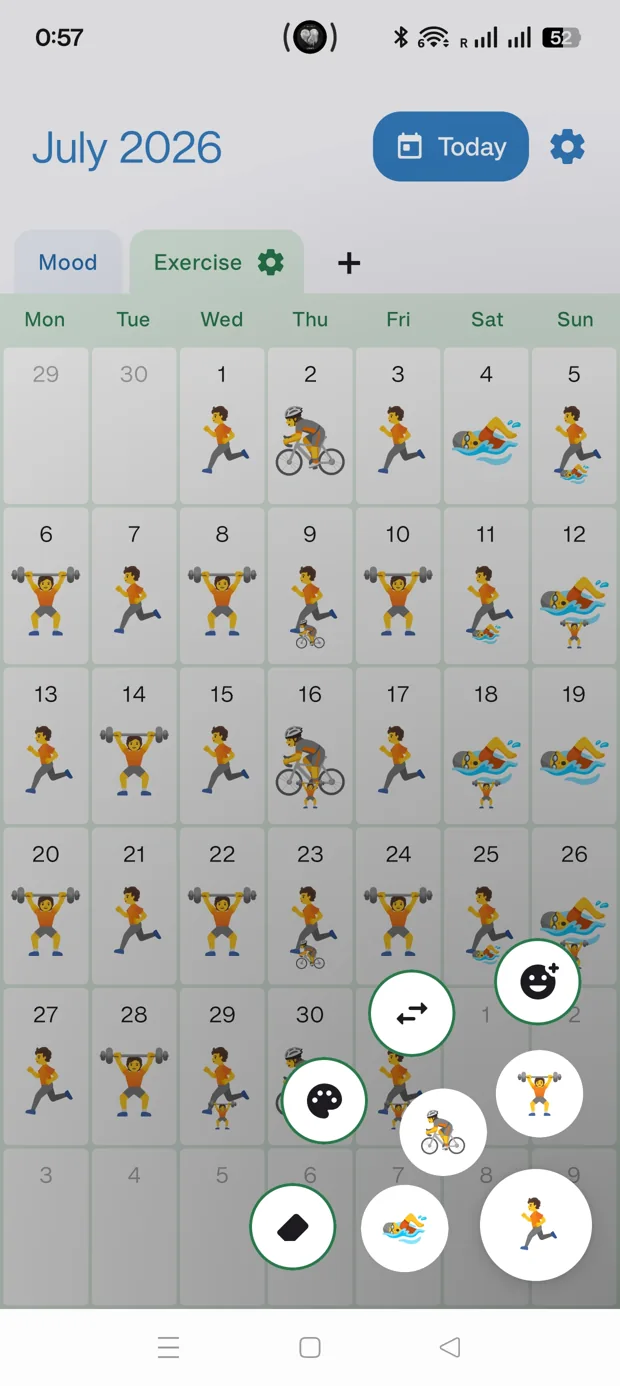
Reading, moving or getting outside. Make your small steps visible.
A weekend away, a meal, a conversation. Give your days some context.
Little days. A whole story.
The book you finally finished. An off day. That walk without watching the clock. Put them together and your month starts to look a little different.
An illustration. You fill your own calendar, your own way.
As quick as picking an emoji
Pick an emoji and paint days right on the calendar. Open a day whenever you want to add a little more.
Keep your favorite emojis close at hand in each calendar.
Use the brush to mark several days with the same emoji.
Add up to four emojis, a note and your memories when you open a day.
Inside the app
Start simple and add what helps. Every day has room for its own story.
Actual app screenshots. The interface shown is in English.
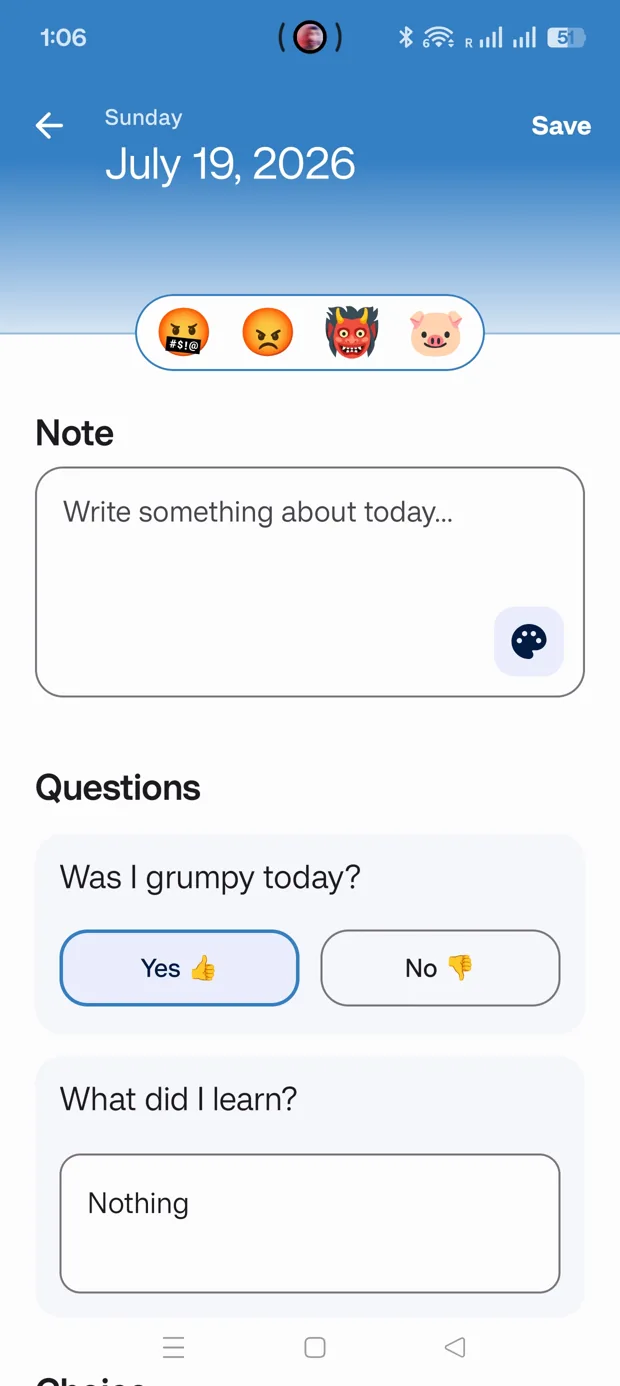
Emojis, notes and answers to remember more than the date.
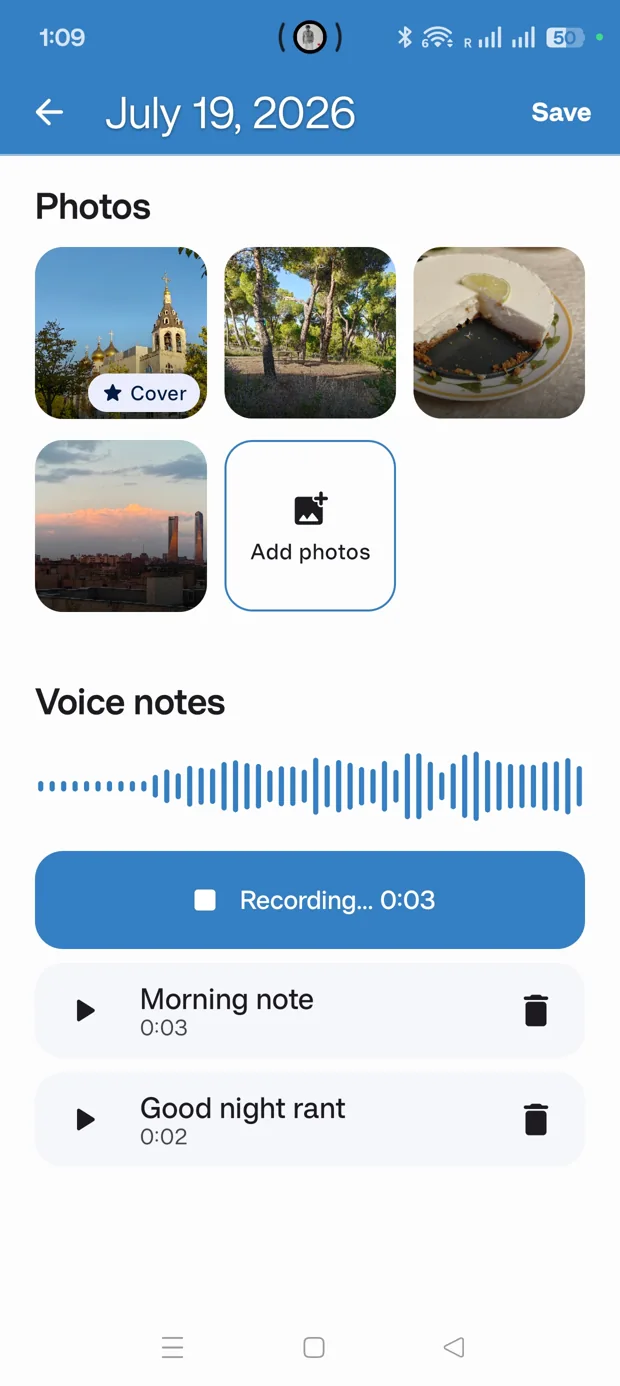
Keep photos and voice notes alongside your writing.
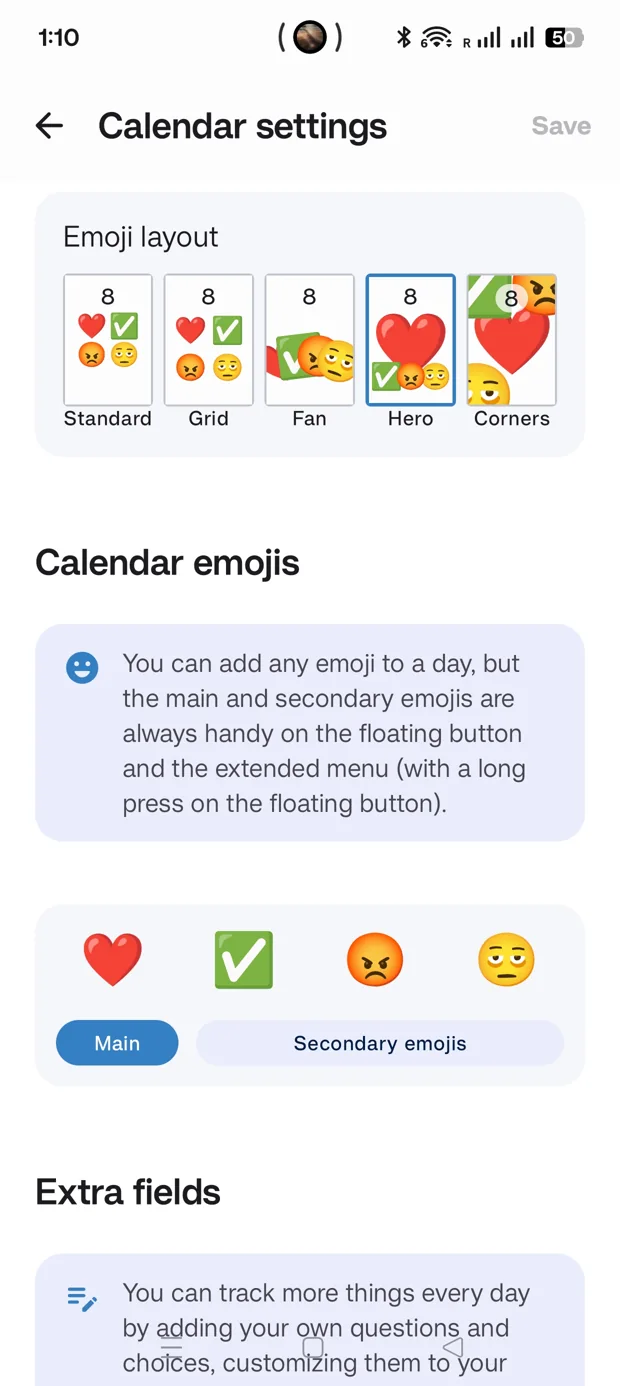
Choose your emojis and how they appear inside each day.
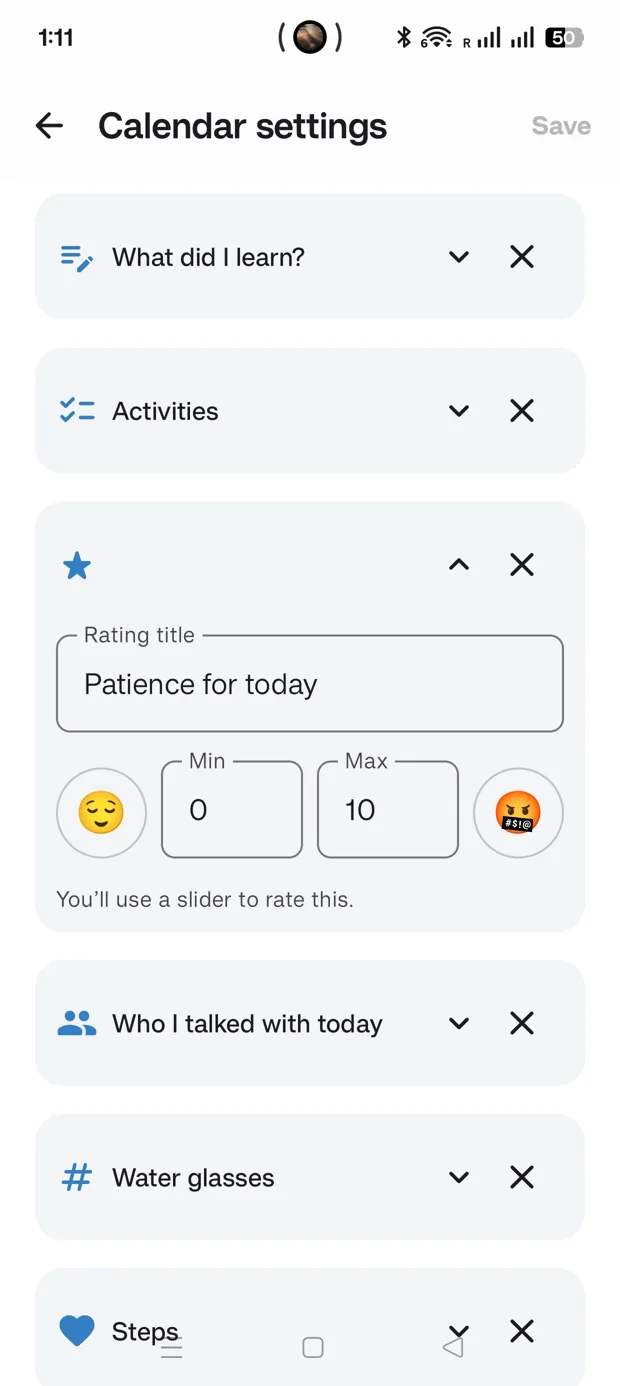
Create fields for the things you actually want to track.
An example week
The calendar gives you the big picture; the day view keeps the rest. Stay with a single emoji or add words, photos and your own voice.
We took a different path today. It was worth it.An illustration. You fill your own calendar, your own way.
A journal that fits you
A yes or no, a written answer, a few choices, a rating or a number. Set up your fields once and answer at your own pace.
Examples of fields you can create
Show events from the device calendars you choose alongside your days.
See data such as steps or sleep when available. Optional, read only and requires Pro.
Turn on reminders if a little nudge helps you record your day.
Start at your own pace
Start for free. For more calendars and personalization, Pro is an optional one-time purchase inside the app.
Your everyday journal
More ways to make it yours
No subscription. See the Pro price in the app through Google Play.
Export a backup from the app and save it wherever you choose. Import it on your next device to restore your calendars and the memories included. You decide when to make a copy and where to keep it.
More about backups and your dataPersonal also means private
Your calendar content stays on your device. Core features work offline, and your journal is never sent to a developer server.
Start with an emoji. Take it from there.
 For Android
Made by a human

I make small apps to solve big problems. Or maybe they're not that big, but they're the kind that bug you if you got up a bit grumpy that day. Maybe they're not even problems, just more efficient ways of doing something.
The story
This app was born from the need to find a middle ground between marking an X with a pen on a paper calendar and using Google Calendar to add all kinds of stuff. And what better way to do it than with emojis? You already have a gazillion of them on your phone, and now you can finally put them to good use.
The main idea was to make a tool everyone can use however they please, rather than an app that tells you what to do. It's a calendar where you can add emojis and extra details. Use it wisely: there are no rules.
Before you begin
You don’t need an account to use Emoji Calendar. You can record your days offline. Purchases through Google Play depend on its services.
Yes. Keep your mood, habits or memories in separate calendars with their own emojis, fields and settings. Pro unlocks unlimited calendars and extra fields.
Pro is an optional one-time purchase through Google Play. It unlocks all emoji layouts and custom colors, unlimited calendars and extra fields, Health Connect and the tool for swapping days. Some field types, including ratings, people and numbers, also require Pro.
Export a backup from the app and import it on the other device. It can include your calendars, answers, photos and voice notes. You can also export a calendar as an ICS file. Keep your backups somewhere you control.
They stay in the app’s private storage. They aren’t automatically uploaded to the developer. They can be included in a backup you choose to export or share.
Email ivan.ramirez.apps@gmail.com for questions or support.
More apps

 Fuentes de MadridKeep water close

 Madrid toiletsFind your next relief stop

 90 Days ReportYour dates, made clear

 Thai Taxi CalculatorBangkok metered taxi estimates

 Thai Year ConverterWestern and Buddhist years, instantly

 AI Usage TrayYour AI quota, next to the clock

 Better Emoji PickerThe emoji you want, one shortcut away
 WIMSYour space, at a glance